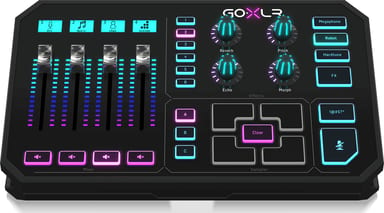
Turn chat down the moment it gets too loud.
The match is close, your friends are shouting on chat and the music keeps creeping up. GoXLR appears on your computer as separate audio devices for chat, game, music, samples and system sound. Each one can sit on its own fader. If chat is too loud, you pull its slider down.
Four faders for the sounds you change most
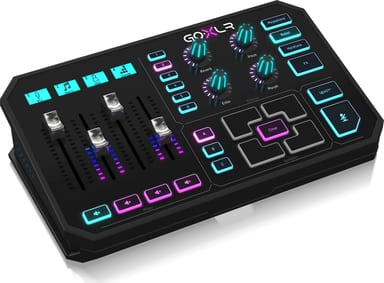
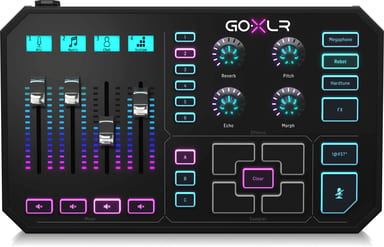
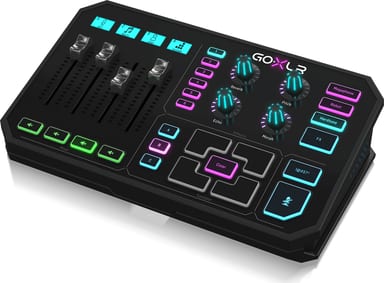
Four motorised faders carry the sources you adjust in real time. Each fader has a backlit scribble strip that shows its assigned device. Every other device gets a virtual fader in the GoXLR app.
A voice that is ready for the stream
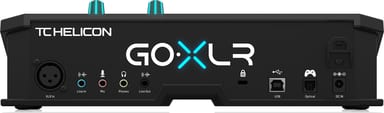
Plug an XLR microphone in and choose Dynamic or Condenser in the app. Condenser sends +48 V phantom power. EQ, compression, gate and de-esser shape your voice. All audio processing runs inside GoXLR, not on your computer.
One computer or two
For a two-PC setup, connect GoXLR to your gaming computer. A 3.5 mm cable from LINE OUT carries the Broadcast Mix to the streaming computer. A second cable back into LINE IN lets you hear stream alerts in your headphones. GoXLR needs the GoXLR app on a Windows PC.